Timeline styles
An add-on that makes it easy to add a timeline to any page or blog post.
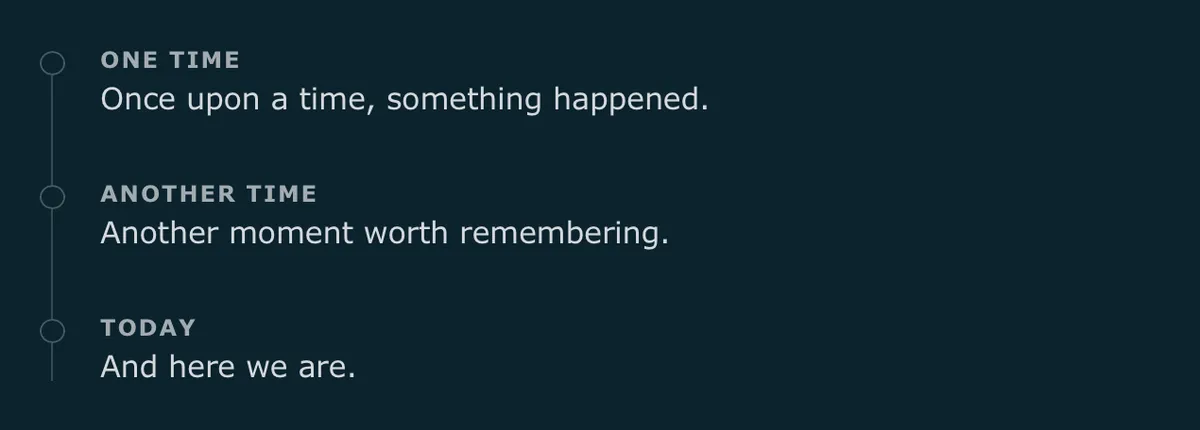
Use it for things like changelog notes, countries visited, or your blogging journey. Just a thin line with soft markers, and the entries themselves are plain Markdown.
Preview
How to use
Wrap your timeline in a container using the timeline class.
Markup
<div class="timeline">

* #### One time
  Once upon a time, something happened.
* #### Another time
  Another moment worth remembering.
* #### Today
  And here we are.

</div>
Styles
/* Timeline styles | robertbirming.com */

.timeline {
  margin-block: 1.5rem;
}

.timeline ul {
  list-style: none;
  margin: 0;
  padding: 0;
  position: relative;
}

.timeline ul::before {
  content: "";
  position: absolute;
  inset-block: 0.25em;
  inset-inline-start: 0.35rem;
  width: 1px;
  background: color-mix(in srgb, var(--text-color), transparent 78%);
}

.timeline li {
  position: relative;
  padding-inline-start: 2rem;
  margin-block: 2rem;
}

.timeline li::before {
  content: "";
  position: absolute;
  inset-block-start: 0.1em;
  inset-inline-start: 0;
  width: 0.7rem;
  height: 0.7rem;
  background: var(--background-color);
  border: 1px solid color-mix(in srgb, var(--text-color), transparent 70%);
  border-radius: 999px;
}

.timeline li > :last-child {
  margin-block-end: 0;
}

.timeline h4 {
  margin: 0;
  margin-block-end: 0.4em;
  font-size: 0.75em;
  line-height: 1.2;
  font-weight: bold;
  letter-spacing: 0.08em;
  text-transform: uppercase;
  color: color-mix(in srgb, var(--text-color), transparent 25%);
}

.timeline h4 + p {
  margin-block-start: 0.7em;
}
Happy blogging, one moment at a time.
Want more? Check out the full Bear Blog library.