Bear media markdown button
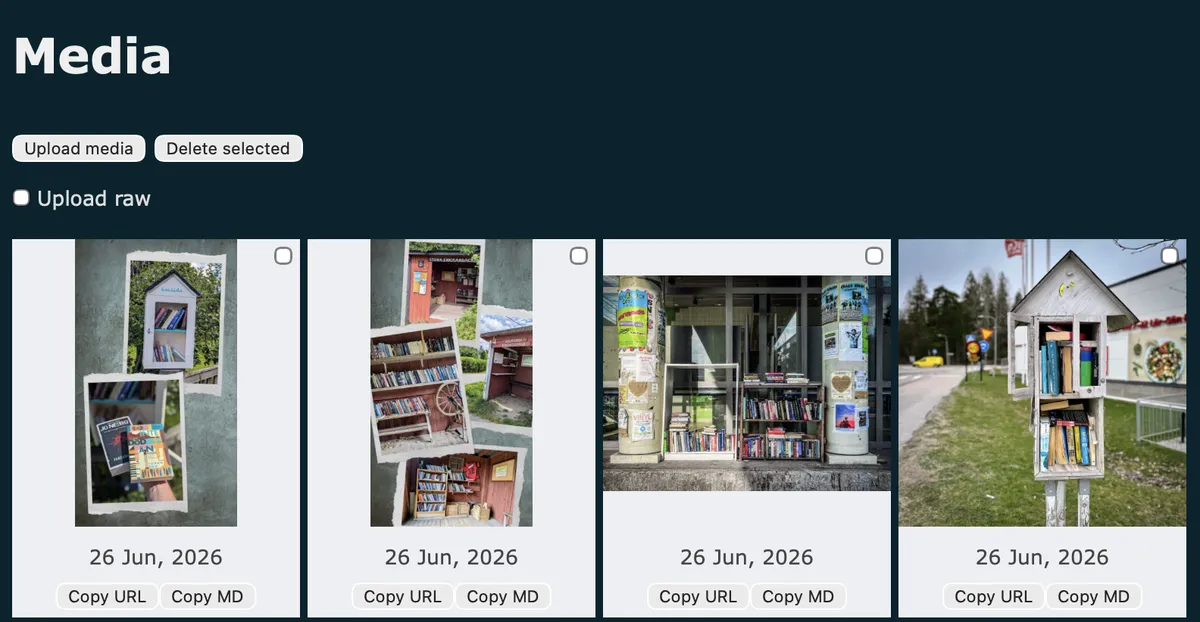
I often find myself wanting to copy images in the Bear media library in markdown format, not just the URL, since it's one of those MD options I never seem to remember.
This dashboard plugin solves that by adding a handy "Copy MD" button next to the default "Copy URL". Click it and you'll get a ready-to-paste markdown image tag added to your clipboard.
Native vibe and a nice little quality-of-life boost.
Installation
- Copy the script below.
- Go to Customise dashboard.
- Paste the script under "Dashboard footer content".
- Save.
- Enjoy.
Script
<script>
/*
Plugin name: Copy markdown image tag
Description: Adds a "Copy MD" button next to each media item's Copy URL button, copying a ready-to-paste  markdown image tag.
Author: Robert Birming
Author URI: https://robertbirming.com
*/
(function () {
'use strict';
document.addEventListener('DOMContentLoaded', function () {
const items = document.querySelectorAll('.media-item');
items.forEach(function (item) {
const copyUrlButton = item.querySelector('button');
const img = item.querySelector('img');
if (!copyUrlButton || !img) return;
if (item.querySelector('.copy-md-button')) return;
const copyMdButton = document.createElement('button');
copyMdButton.type = 'button';
copyMdButton.className = 'copy-md-button';
copyMdButton.textContent = 'Copy MD';
copyMdButton.addEventListener('click', function () {
const src = img.getAttribute('src') || '';
const filename = src.split('/').pop().split('?')[0];
const altText = filename.replace(/\.[^.]+$/, '');
const markdown = '';
navigator.clipboard.writeText(markdown).then(function () {
alert('Markdown copied to clipboard');
}).catch(function () {
alert('Failed to copy markdown');
});
});
copyUrlButton.insertAdjacentElement('afterend', copyMdButton);
});
});
})();
</script>
Happy photo blogging!