Kodiak style guide
- Bear Blog library
- Themes
- Kodiak
- Style guide
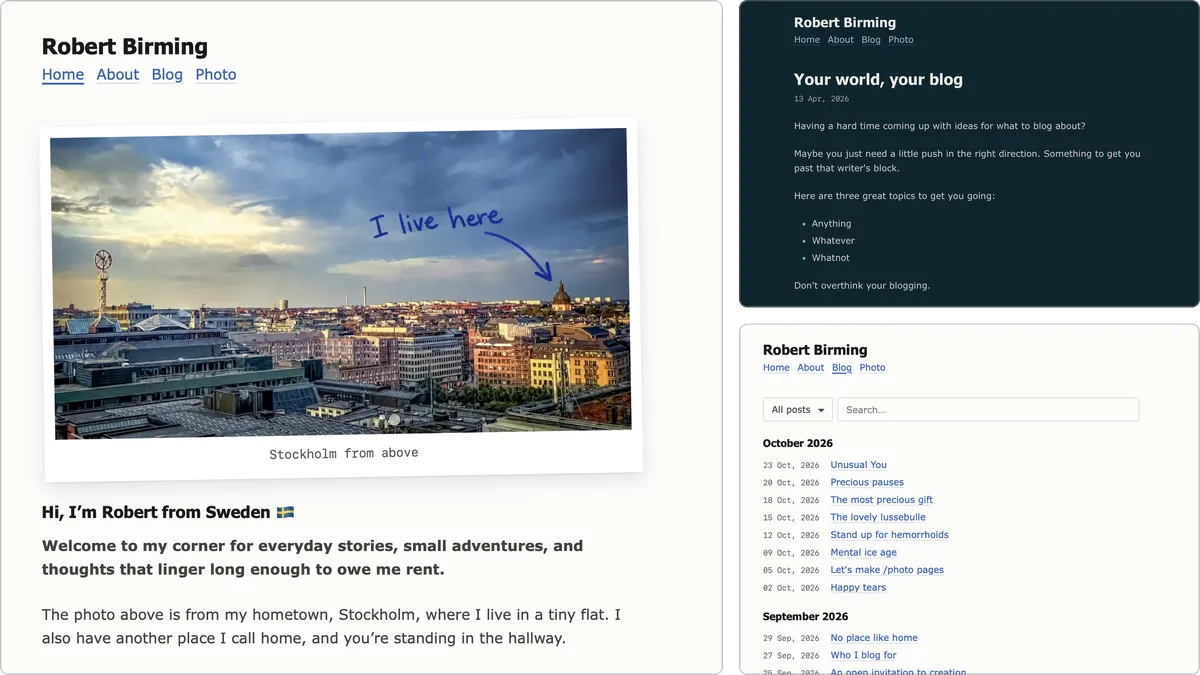
A quick tour of how Kodiak handles the things you write.
At first glance, Kodiak looks a lot like Bear's default theme. That's on purpose. The difference is in the details: more room to breathe, easier on the eyes, and made for reading. This page shows what that means in practice.
On this page
- Headings
- Links
- Images
- Gallery
- Blockquotes
- Notes
- Lists
- Dividers
- Code
- Tables
- Email signup
- Footnotes
- Breadcrumbs
Headings
H2s, like the one above, start a new chapter in your post. A small signpost saying "new thought ahead".
- This text is a little thoughtful.
- This one is strong like a good coffee.
- This one is bold and loud.
- And this one is
taking a nap.
Heading 3
For tucking details under a bigger idea.
Heading 4
For notes and side thoughts.
Links
Link to good corners of the web, like Bear Blog or the Discover feed. Italic links work too.
Sometimes a link deserves its own line. Make it bold and it gets a bit more presence:
The web is more fun when we actually link to each other.
Images
Here's how images look. Most of us could use a few more of them.

Want a caption? Add a line in italics right below the image.
 Stockholm, Sweden
Frame
Add #frame to the end of the image URL to give it a frame.
Polaroid
Or add #polaroid for a polaroid look. Works great with a caption.
 Stockholm, Sweden
Gallery
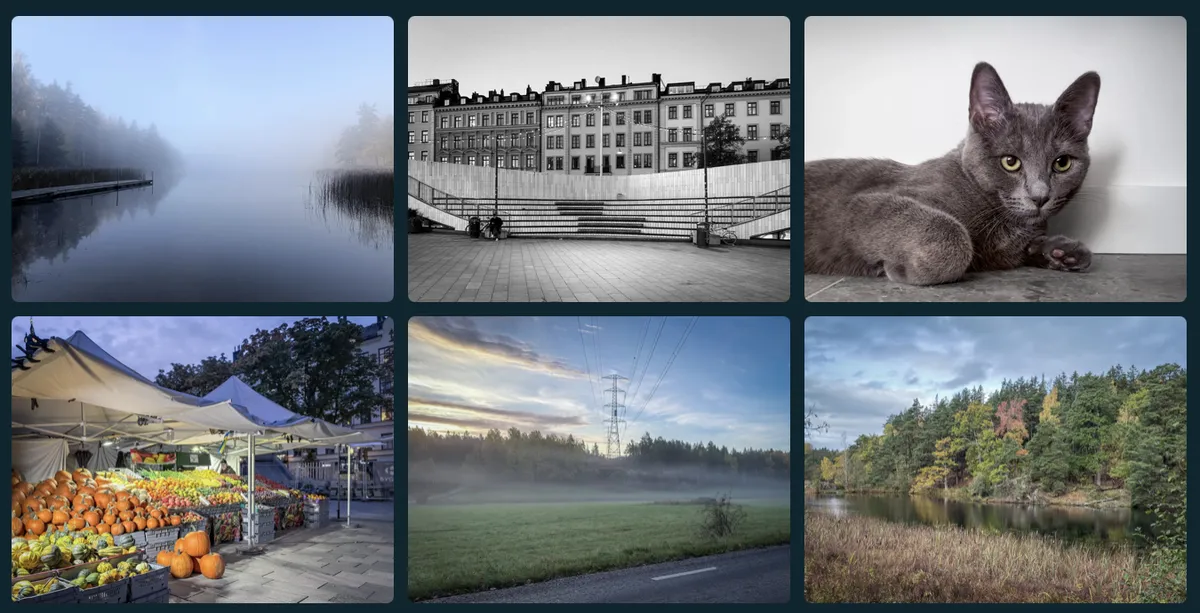
Want a grid of photos? Add class_name: gallery to the post's settings, then put your images on lines right after each other, no blank lines between them:


The images line up in a grid that adapts to the screen size. Add an italic line at the end and it spans the full width as a caption.
Blockquotes
Blockquotes don't shout. They lean in a little, like someone pausing to say something worth remembering.
Kodiak keeps the default theme's color names, so your colors carry over without any extra work.
Want the quote to sign its own name? Add a bold line at the end.
Quoting myself again. Old habits.
Robert
And regular text picks right back up after it.
Notes
Start a blockquote with a heading and it turns into a note.
Note
Good for tips, warnings, or anything that should stand apart from the rest of the post.
Same Markdown, different job.
Lists
Lists help ideas line up and stay easy to follow, whether they're wandering or neatly numbered.
Unordered lists
- Fresh air and a small idea
- A blank page
- A margin doodle or two
- Seeds for tomorrow's post
- A blog that feels like home
Ordered lists
- Brew something nice.
- Open Bear.
- Write what you mean.
- Skip perfection for now.
- Publish. Smile. Repeat.
That's lists. Nothing more to it.
Dividers
Dividers give your thoughts some breathing room without making a big deal of it. You've already seen plenty on this page.
Code
Use inline code for snippets and filenames, like style.css, and code blocks for anything longer. Here's one that also shows how to change Kodiak's colors:
/* Kodiak uses Bear's default color names */
:root {
  --background-color: #fffdf8;
  --text-color: #3b3b3b;
  --link-color: #8a5a2b;
}

@media (prefers-color-scheme: dark) {
  :root {
    --background-color: #1c1917;
    --text-color: #d6d3d1;
    --link-color: #d4a373;
  }
}
Change the values, keep the names. That's it.
Tables
Tables are good for keeping track of things, whether it's blog post ideas, travel notes, or what you're working on.
| Bear task | Status | Mood |
|---|---|---|
| Blogging | ✅ Done | 🐻 Content |
| Coding | 🧠 In progress | ☕ Focused |
| Reading | 📖 Planned | 😌 Relaxed |
On small screens, wide tables scroll sideways instead of squeezing.
Tables with numbers
Add a colon on the right side of the divider row, like ----:, to align a column to the right. Kodiak uses even-width numbers, so the digits stay in place.
| Item | Quantity | Rating |
|---|---|---|
| Blog ideas | 14 | 8.5 |
| Coffee cups | 3 | 9.8 |
| House visits | 6 | 7.4 |
No spreadsheets were harmed in the making of this table.
Email signup
If you've turned on Bear's newsletter, add {{ email-signup }} to a post or page and readers get a simple signup form.
One field, one button. That's all it needs.
Footnotes
Footnotes add context without cluttering your writing.1 Bear builds them from standard Markdown, and Kodiak takes care of the rest.2 Tap or click a number to jump down, then the arrow takes you back.
Breadcrumbs
See the trail of links under this page's title? That's a breadcrumb. Start a page with a numbered list right under the heading, and Kodiak turns it into one:
# Style guide

1. [Library](/library/)
2. [Themes](/library/#themes)
3. Style guide
Leave the last item without a link, since that's the page you're on. Breadcrumbs only work on pages, not posts.
The end
Scroll down and you'll see the tags at the end of the page, a bit smaller than the rest, doing their job without any fuss.
That's the tour. Happy blogging! 🐻